[ Methods to Clicking Faster ]
SYSTEM MANUAL // OPTIMIZE SPEED // MASTER TECHNIQUES
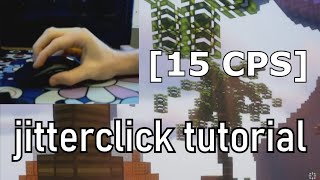
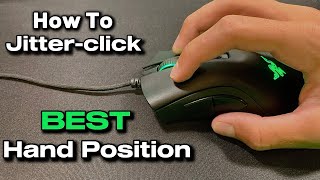
Jitter Clicking
Jitter clicking uses tension in your forearm muscles to make your fingers vibrate rapidly against the mouse button, producing extremely fast, low-effort clicks. To do it, rest your hand loosely on the mouse, lightly tense your forearm, and let that tension transfer into a rapid trembling motion at your fingertip. It takes practice to control, but skilled jitter clickers can hit 10–14+ CPS. Start slow and focus on consistency before chasing raw speed.
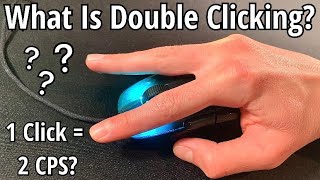
Double Clicking
Double clicking (also called "drag clicking's simpler cousin") relies on using two fingers — typically your index and middle finger — alternating rapid taps on the same mouse button instead of clicking with just one finger. Place both fingertips lightly on the button and alternate pressing down in quick succession, almost like tapping a drum. This spreads the workload across two fingers, reducing fatigue and allowing faster sustained click rates than single-finger clicking.
Butterfly Clicking
Butterfly clicking uses two fingers tapping alternately on the same button at high speed, similar to double clicking but performed with a faster, more rhythmic "flapping" motion — hence the name. Curl your index and middle finger slightly and alternate striking the mouse button as quickly as possible, keeping your wrist still so only the fingers move. This technique can produce very high CPS scores but is harder on the mouse switch and your fingers if done for long periods.
Drag Clicking
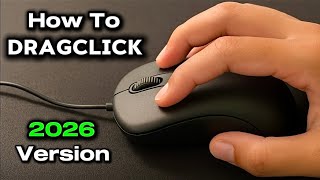
Drag clicking exploits the physical mechanics of certain mouse switches by dragging a finger across the button's surface with enough friction to make it register many rapid clicks in one motion. To do it, place your finger flat against the button, apply slight downward pressure, and drag it across the surface in a smooth, deliberate motion. This only works on specific mice with switches prone to "click chatter" — most modern mice with debounce protection will block it entirely.
Visual Tutorials & Video Guides
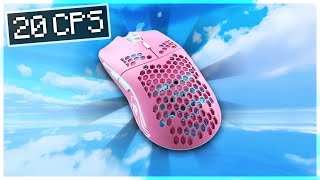
Watch these walkthroughs and speed training tutorials to visualize proper technique and learn from top-tier clickers.

[ Methods to Improve Your WPM ]
SYSTEM MANUAL // OPTIMIZE SPEED // MASTER TECHNIQUES
Touch Typing
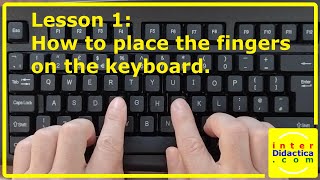
Touch typing means typing without looking at the keyboard, using muscle memory to know where every key is by feel. Keep your fingers resting on the home row (ASDF for the left hand, JKL; for the right) and return to it after every keystroke. This builds the foundation for speed because your eyes stay on the screen instead of constantly searching for keys. Most high-WPM typists started by deliberately practicing this for weeks before speed naturally followed.
Proper Finger Placement
Each finger is responsible for a specific set of keys, and sticking to that mapping prevents wasted movement and awkward stretches that slow you down. Your thumbs handle the spacebar, your pinkies reach for Shift/Enter/punctuation, and the rest divide the keyboard into vertical columns. Using the wrong finger for a key might feel fine at low speed but becomes a hard ceiling once you try to type faster. Typing tutors and finger-placement charts are useful early on to correct bad habits before they set in.
Rhythm and Flow Typing
Fast typists don't hit individual keys as separate events — they type in flowing bursts driven by common letter patterns and whole words. Instead of consciously thinking "T-H-E," your fingers learn to fire "the" as a single motion through repetition. Practicing common words, digraphs, and short phrases repeatedly helps your brain chunk them into one fluid movement rather than three deliberate keystrokes. This rhythm-based approach is usually what separates 60 WPM typists from 100+ WPM typists.
Reducing Errors Over Raw Speed
Net WPM accounts for mistakes, so a fast but error-prone typist often scores lower than a slightly slower, more accurate one. Focus on typing at a pace where you can stay accurate, then gradually push speed up rather than rushing and constantly backspacing. Backspacing breaks your typing rhythm and costs more time than typing a little slower would have. Many typing coaches recommend practicing at 90%+ accuracy consistently before chasing higher raw speed numbers.
Visual Tutorials & Video Guides
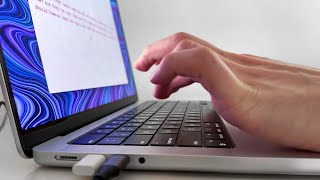
Watch these walkthroughs and speed training tutorials to visualize proper technique and learn from top-tier typists.
[ Methods to Improve Your Reaction Time ]
SYSTEM MANUAL // OPTIMIZE SPEED // MASTER TECHNIQUES
Reduce Anticipation, Not Just React Faster
A big chunk of "reaction time" is actually how steadily you can wait without flinching early or hesitating once the cue appears. Keep your finger or mouse lightly resting on the trigger point rather than hovering tensely above it, since tension increases false starts and inconsistent timing. Focus on watching for the cue rather than guessing when it will appear — anticipating too hard usually backfires into early clicks that get reset. Consistent, calm readiness beats forcing yourself to "react harder."
Minimize Physical Movement
Every extra millimeter your finger or hand travels before contact adds time that has nothing to do with how fast your brain actually processed the cue. Keep your clicking finger as close to the mouse button or key as possible without pre-pressing it, and avoid winding up or repositioning your hand between rounds. Smaller, more controlled movements are consistently faster than big confident-looking ones. This is one of the easiest gains, since it's purely mechanical and doesn't require faster reflexes at all.
Train Visual Processing Speed
Reaction time tests are ultimately measuring how quickly your eyes detect a change and your brain sends the signal to move — and that pathway can be trained. Simple reflex games, fast-paced rhythm games, and even certain fast-twitch sports drills can sharpen visual-to-motor response over time. Sleep quality and fatigue have a measurable effect here too, since a tired brain processes visual stimuli noticeably slower. Regular practice on reaction-time tools themselves is also a valid form of training, since familiarity with the test format itself shaves off hesitation.
Stay Consistent Across Rounds
A single fast round doesn't mean much if your times swing wildly from round to round — consistency is often a better signal of real skill than one lucky reflex. Try to keep your posture, hand position, and focus level identical across every round of a test rather than resetting your approach each time. Breathing steadily and avoiding multiple distractions during the test (notifications, other tabs, conversations) helps keep your attention locked on the cue. Tracking your average and standard deviation, not just your best time, gives a more honest picture of your real reaction speed.
Visual Tutorials & Video Guides
Watch these walkthroughs and reflex training guides to learn proper eye training, focus habits, and posture setups.